HALP! I am a Renovation Building and Interior Designer, Project Manager, Consultant and Coach. My business has multiple service types and I suspect I may have over-complicated this with far too many service types in Calendly.
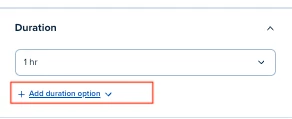
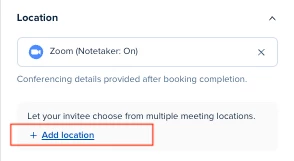
I meet people both virtually and in-person. I charge fees for some things and not others, but need the option to waive the fee at times. I provide full service design, on-call renovation consultation services, and I also provide coaching and consulting for industry professionals.
I would LOVE some ideas and feedback on how I can consolidate and/or simplify. I have tried to manage this with the routing function. The feedback I’ve received from people is they found the number of options confusing. On my end, the routing link breaks far too often when I make the slightest change to any event type, then I forget to update the new routing link in all the places (email signature, Slack channel, website, etc...)
My event types are currently:
- Residential Design
- New design client lead meeting, virtual, no fee.
- routes to a design service questionnaire
- New design client lead meeting, in person, with a fee and discount codes.
- routes to a design service questionnaire
- Full service client meeting, 30min, virtual, no fee.
- Full service client meeting, 2hr, virtual, no fee.
- Full service client meeting, in-person, no fee.
- On-call client meeting, virtual, with a fee and discount codes.
- Need the ability to buy a package of hours, then book multiple meetings.
- On-call client meeting, in-person, with a fee and discount codes
- Need the ability to buy a package of hours, then book multiple meetings.
- New design client lead meeting, virtual, no fee.
- Coaching and consulting
- New coaching and consulting client lead meeting, virtual, no fee.
- routes to a coaching and consulting questionnaire
- New coaching and consulting client lead meeting, in person, with a fee and discount codes.
- routes to a coaching and consulting questionnaire
- Coaching and consulting client meeting, virtual, with a fee and discount codes.
- Need the ability to buy a package of hours, then book multiple meetings.
- Coaching and consulting client meeting, in-person, with a fee and discount codes.
- Need the ability to buy a package of hours, then book multiple meetings.
- New coaching and consulting client lead meeting, virtual, no fee.
- Seminars
- Single virtual seminar, with a fee and discount codes.
- Connected to Zapier with follow-up questionnaire
- Single in-person seminar, with a fee and discount codes.
- Connected to Zapier with follow-up questionnaire
- Seminar series, virtual seminar, with a fee and discount codes.
- One fee, multiple dates
- Single virtual seminar, with a fee and discount codes.
- General
- Meeting link for colleagues, suppliers and other industry peers, virtual/phone, no fee.