Solved

unable to create appointments using Calendly App

  • June 5, 2026
  • 7 replies
  • 132 views

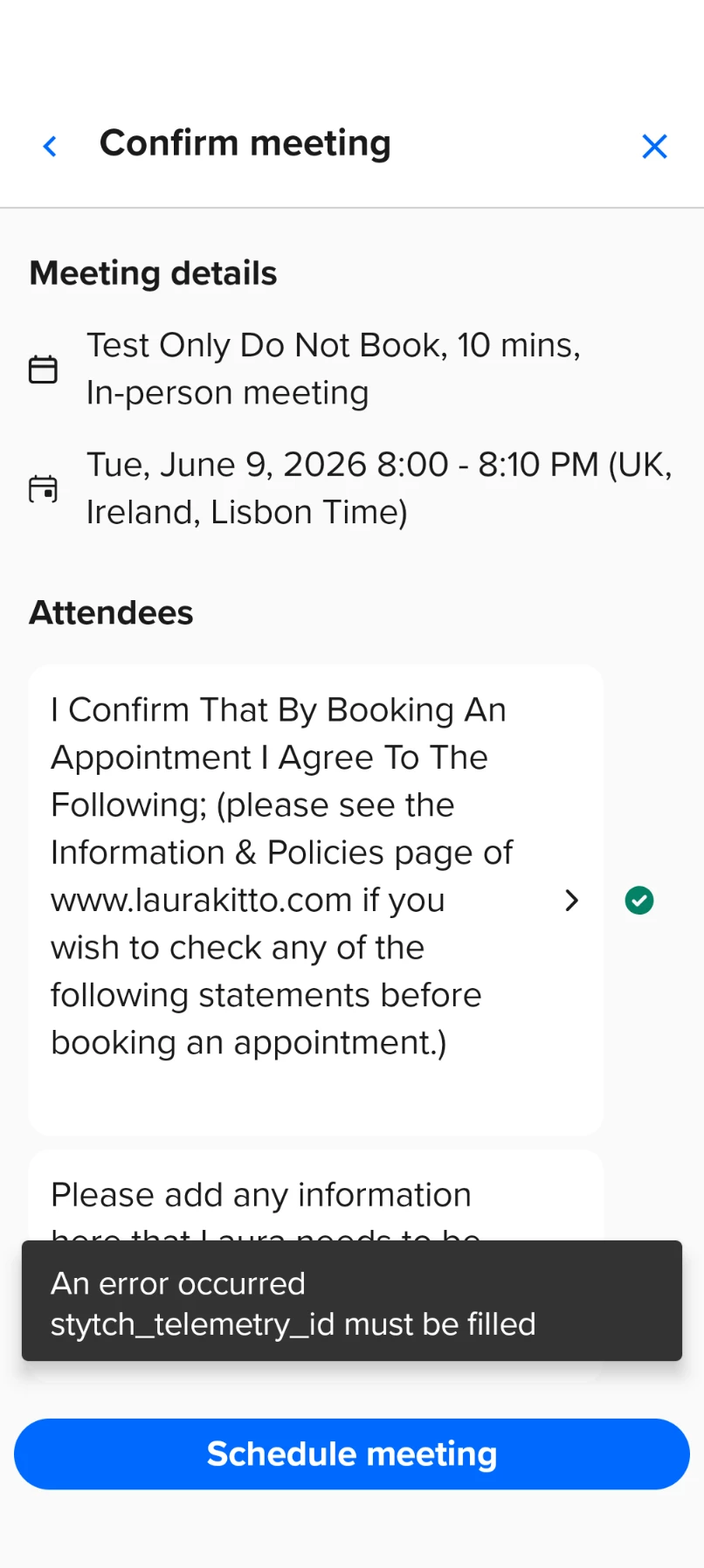
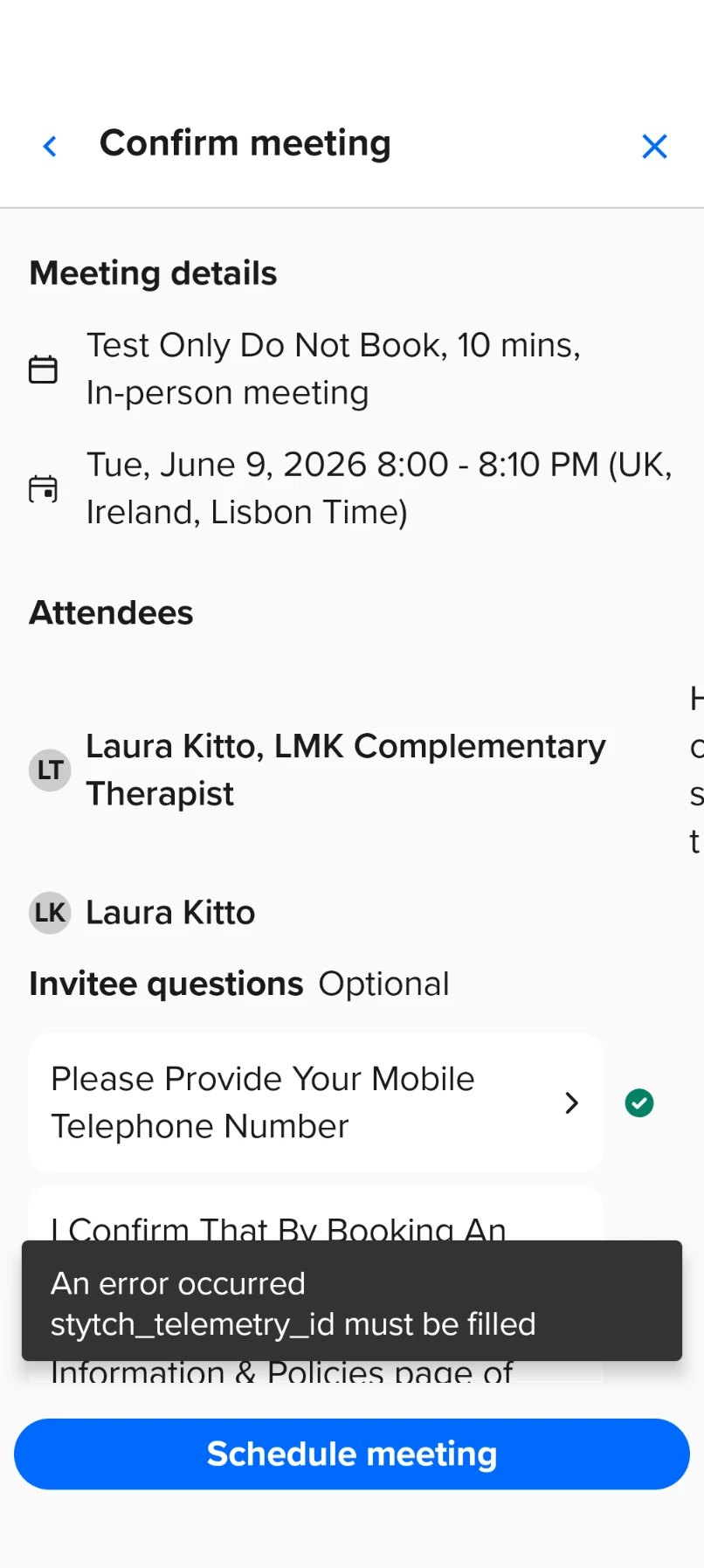
Hi, I'm currently experiencing error when trying to complete new bookings via the Calendly App, after entering all the require information & selecting Schedule Meeting. Web version is working ok, but difficult to use on a mobile phone. 


I attach a screenshot. Any advice would be hugely appreciated.
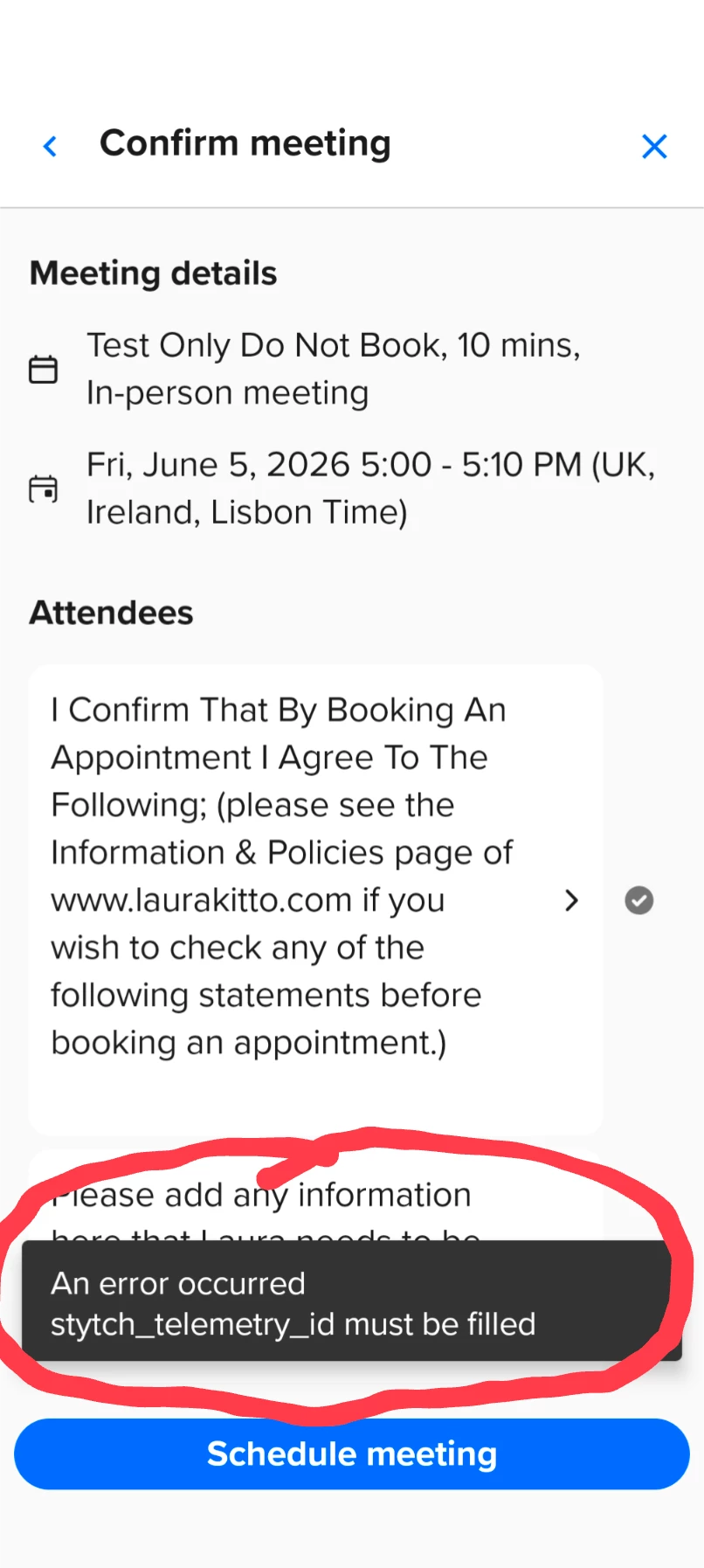
Many thanks, Laura

Best answer by hamid

Hi ​@Laura53840 thanks for confirming so quickly and great to hear!

7 replies

David
Community Manager
  • Community Manager
  • June 8, 2026

Hi ​@Laura53840 - Thanks for reaching out!

Wanted to follow up and see if you’re still running into this issue? Let me know!


  • Author
  • Community Member
  • June 8, 2026

Hi ​@David yes I'm still experiencing the problem. I've just tried to create an appointment & got the same error. 


David
Community Manager
  • Community Manager
  • June 8, 2026

Thanks for confirming ​@Laura53840 - I’ll talk to the team today to look into this!

Just to confirm, is your mobile app up to date? Have you tried uninstalling and reinstalling then trying again?

Let me know!


  • Author
  • Community Member
  • June 8, 2026

Hi ​@David I confirm that I have just uninstalled & reinstalled the Calendly App (for Android) & am still getting the same the same error. 

Could it be something linked to the Capatcha verification that's fairly recent on the web version? I've only noticed this error on the App since the Capatcha verification was introduced on the web version. 

Many thanks, Laura


hamid
Employee
  • Employee
  • June 12, 2026

Hi Laura, Hamid here with the Calendly team. I’m sorry you encountered this, and thanks for pointing it out to us. We found the issue and have fixed it. Can you please try again?


  • Author
  • Community Member
  • June 12, 2026

Hi ​@hamid Thanks so much for letting me know. I've just successfully managed to book a meeting via the App. Yay 🙌🏼 Thanks so much & have a great weekend. Best wishes, Laura


hamid
Employee
  • Employee
  • Answer
  • June 12, 2026

Hi ​@Laura53840 thanks for confirming so quickly and great to hear!